Sam’s Duke User Guide
Features
Add Todo items
Have a task you need to get done? Add it to Duke so that you won’t forget it.
Add events
Have an event coming up? Duke allows you to create events. You can add a title and event timing too.
Add deadlines
Duke allows you to add deadlines to your task list. You can include a deadline description and ISO-8601 compliant date.
View items
Duke allows you to view all your added items in a list-view.
Delete items
Duke allows you to delete any of the items from your task list.
Mark items as done
You can mark any of the items in your task list as done.
Search for items
Duke allows you to search your task list by keywords.
Tag/untag your items
Duke allows you to tag your items as a way to categorize your tasks.
View your tags
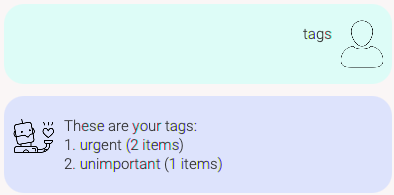
Duke allows you to view the list of tags you have and the no. of items in each tag.
Save your task list
Duke knows you probably want to save your task list. It allows you to do so and automatically loads that saved list the next time it starts up.
Basic Usage
todo - Create a todo
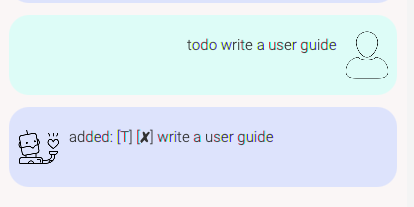
Adds a new todo item to Duke’s task list.
Format: todo {todo description}
Example of usage:
todo write a user guide
Expected outcome:
event - Create an event
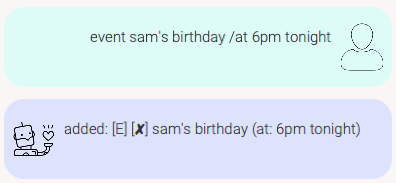
Adds a new event item to Duke’s task list.
Format: event {event description} /at {event timing}
Example of usage:
event sam's birthday /at 6pm tonight
Expected outcome:
deadline - Create a deadline
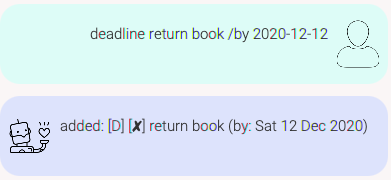
Adds a new deadline to Duke’s task list.
Format: deadline {deadline description} /by {ISO-8601 date string}
Example of usage:
deadline return book /by 2020-12-12
Expected outcome:
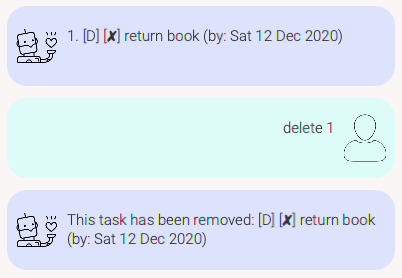
delete - Delete an item
Removes an item from Duke’s task list.
format: delete {index in list}
Example of usage:
delete 1
Expected outcome:
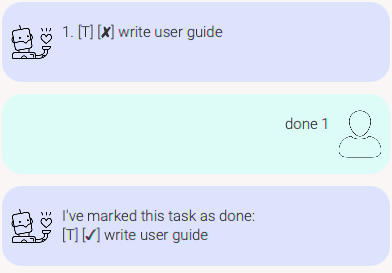
done - Mark an item as done
Marks an item in Duke’s task list as “done”.
format: done {index in list}
Example of usage:
done 1
Expected outcome:
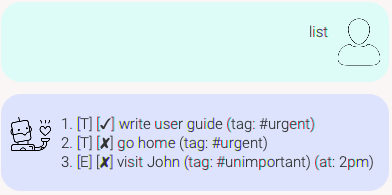
list - View all items
Displays all added items in a list-view.
format: list
Example of usage:
list
Expected outcome:
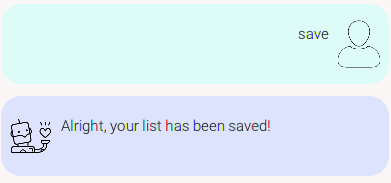
save - Save your task list
Saves your current task list to your disk. Duke will load this when it starts up the next time.
format: save
Example of usage:
save
Expected outcome:
Advanced usage
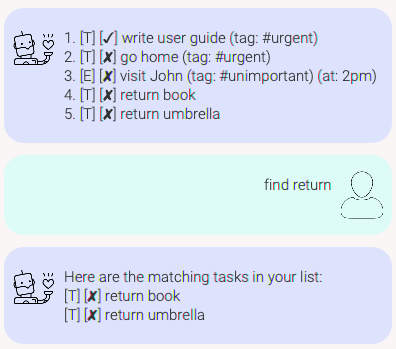
find - Search by keyword
Search your task list for items.
Note: An item only appears in the search results if its description contains the search keyword.
format: find {search keyword}
Example of usage:
find return
Expected outcome:
tag - Tag an item
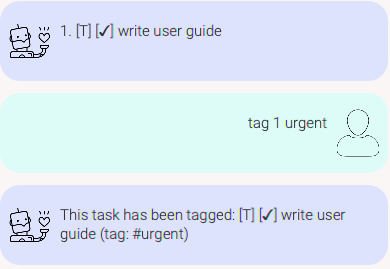
Tags an item with a tag.
format: tag {item's index in list} {tag name}
Example of usage:
tag 1 urgent
Expected outcome:
untag - Untag an item
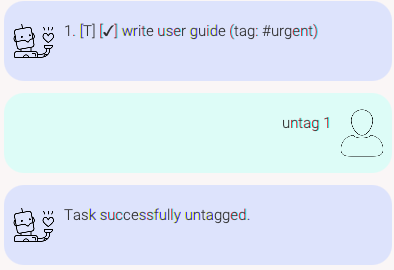
Removes the tag from a tagged item.
format: untag {item's index in list}
Example of usage:
untag 1
Expected outcome:
tags - View all tags
Display all tags and the no. of items in each tag.
format: tags
Example of usage:
tags
Expected outcome: